
If you are searching for the cheapest cloud GPU providers in 2026, you are exactly where you need to be.
For years, I’ve watched AI developers and tech startups globally—from Silicon Valley to emerging tech hubs—drain their budgets just trying to secure reliable GPU compute. Recently, a massive discussion erupted across developer communities: engineers are desperately hunting for low-cost cloud GPUs for heavy LLM fine-tuning and inference workloads that won’t bankrupt their projects.
If you are building generative AI applications, training deep learning models, or running high-traffic inference APIs, you already know the harsh reality. GPU costs quickly become the biggest bottleneck when scaling workloads.
But here is the industry secret: with the right infrastructure strategy and modern, high-performance platforms like Dataoorts GPU Cloud, you can unlock enterprise-grade compute power without the massive enterprise price tag. By leveraging Dataoorts and similar agile platforms, developers are currently slashing their cloud bills by up to 85% compared to traditional on-demand pricing.
In this guide, I will walk you through the 8 cheapest cloud GPU providers in 2026 and share the exact strategies you need to drastically cut down your machine learning costs.
How to Choose the Cheapest Cloud GPU Provider for AI Workloads
When selecting a global cloud GPU service for your AI workloads, the hourly sticker price rarely tells the full story.
I’ve seen AI teams—from startups in North America to tech hubs across Europe and Asia—choose the lowest hourly rate, only to get crushed by hidden egress fees, massive latency, and reliability issues. In the long run, “cheap” often becomes incredibly expensive.
Before you rent a GPU, here are the 5 critical factors you must evaluate:
1. Look Beyond the “Advertised” GPU Price
Many platforms use deceptive pricing. They advertise rock-bottom GPU rates but charge separately for the required CPU, RAM, and NVMe storage. For example, a $1.50/hr GPU that requires an additional $0.50/hr for adequate CPU and storage actually costs more than a $1.80/hr all-inclusive option.
2. Factor in Uptime and Reliability Costs
Peer-to-peer marketplace providers might list Nvidia H100s at an unbelievable $0.90/hr. But if your deep learning training job gets interrupted three times due to network drops—costing you 6 hours of progress and compute time—you are losing money. Paying for a highly stable, enterprise-grade instance that completes the job without interruption is always the better financial move.
3. Match Billing to Your Scaling Patterns
Your billing model should match your AI development cycle. If you only need GPUs sporadically for quick testing, pay-per-minute billing can save you up to 40% compared to rigid hourly models. On the flip side, if you are running continuous inference APIs globally, look for committed use discounts or reserved instances.
4. Watch Out for Hidden Egress Fees
This is where traditional hyperscalers (like AWS or GCP) trap developers. Data transfer costs, network egress fees, and block storage charges can double your monthly bill. If your AI application requires moving massive datasets across regions, those fees add up fast. Platforms like Dataoorts GPU Cloud are built for modern AI teams, offering highly competitive, predictable pricing without the dreaded surprise data-transfer fees.
5. Check Global Availability and GPU Quotas
The absolute cheapest cloud GPU is completely useless if it’s never available when you need it. Major cloud providers often require rigorous “quota requests” for high-end chips like A100s or H100s, leaving you waitlisted for days or weeks depending on your server region (US-East, EU, Asia, etc.).
The optimal approach in 2026 isn’t just hunting for the lowest penny. It is finding a platform like Dataoorts that perfectly balances highly competitive pricing with enterprise reliability, transparent billing, and instant global availability.
Top 8 Cheapest Cloud GPU Services for AI Workloads (Full Comparison)
Let’s explore each platform, starting with those that provide the best balance of affordability and reliability.
1. Dataoorts – Enterprise-grade cloud with unbeatable pricing
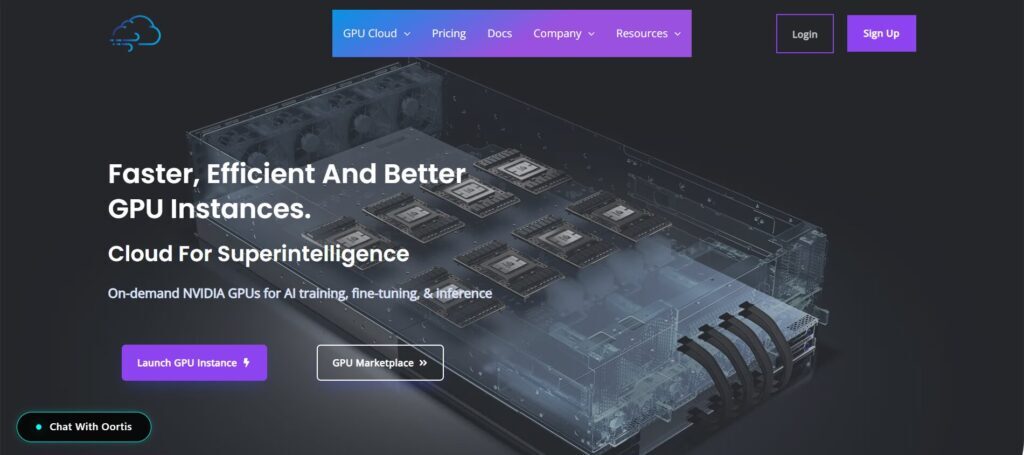
I’ll be completely upfront: I am biased toward platforms that actually solve real-world developer bottlenecks. After testing dozens of providers, Dataoorts consistently delivers the absolute best value for teams building production-grade AI applications in 2026.
Dataoorts stands out because it offers a massive, globally available fleet of GPU instance series. Whether you need a lightweight GPU for basic testing or a cluster of high-end chips for fine-tuning LLMs, they give you the exact hardware your workload demands—all backed by a simple, on-demand, pay-as-you-go pricing model.
While major hyperscalers make you wait days for quota approvals, Dataoorts ensures GPUs are actually available when you need to scale, whether you are deploying from North America, Europe, or Asia.
Here is why Dataoorts ranks as my #1 choice for AI developers:
All-Inclusive, Transparent Pricing: Forget complicated cloud calculators. Dataoorts bundles your GPU, CPU, RAM, and NVMe storage (X-Series) into one flat hourly rate. What you see is exactly what you pay.
Zero Egress or Hidden Fees: Unlike traditional cloud providers that penalize you for moving data, Dataoorts has absolutely zero hidden fees, zero network egress charges, and zero surprise billing complexity.
Production-Ready Reliability: If you use spot instances to save money, Dataoorts offers automatic failover when instances are reclaimed. This means your training jobs and inference APIs stay online, ensuring your applications never go down.
Risk-Free 1-Hour Free Trial: You don’t have to take my word for it. Dataoorts offers a free 1-hour GPU compute trial so you can test their network speeds and hardware performance before spending a dime.
Truly Global Payment Flexibility: Building for a global audience means needing global infrastructure. Dataoorts is highly accessible, supporting a wide range of payment options including Credit Cards, PayPal, Crypto (for privacy-focused global devs), and UPI (making it incredibly easy for developers and startups in India).
Deployment Type: Instances are available as virtual machines and bare metal servers.
If you want an affordable, highly reliable GPU cloud built specifically for AI developers, Dataoorts is the smartest place to start.
Visit Dataoorts Console: https://cloud.dataoorts.com
2. VastAI - Peer-to-peer marketplace for ultra-low prices
If you are looking for absolute bottom-dollar pricing, Vast.ai is a fascinating option. Operating essentially as the “Airbnb of cloud GPUs,” Vast.ai is a peer-to-peer marketplace where individual hardware owners and independent data centers rent out their idle GPUs to developers.
The Pricing Advantage:
Because it is a highly competitive bidding market, the cost savings can be massive, especially if you utilize their interruptible (spot) instances:
Nvidia H100s: Available for roughly ~$1.65/hour (interruptible).
Nvidia RTX 4090s: Available for an incredibly cheap ~$0.31/hour (interruptible).
Using their bidding system can drastically lower your compute bills compared to standard on-demand pricing from legacy cloud providers.
The Trade-Offs (Proceed with Caution):
While the prices are incredibly tempting, decentralized platforms come with significant risks for production AI:
Unpredictable Reliability: Your machine’s stability depends entirely on the individual host. If the host’s internet drops or someone outbids you, your instance is terminated—which can instantly wipe out hours of machine learning progress. (This is why I strongly prefer the automatic failover and enterprise stability of Dataoorts for serious workloads).
Severe Network Latency: Because hosts are scattered globally—from personal rigs in Europe to unverified servers in Asia or South America—moving large datasets can result in massive network latency and slow transfer speeds.
No Enterprise Support: You are largely on your own. If hardware fails, there is no premium support team to bail you out.
The Verdict & Best Use Case:
Vast.ai is best for student research projects, hobbyist experimentation, and highly fault-tolerant workloads where unexpected downtime won’t ruin your day. If you are running consumer-grade AI tasks and your budget is your only concern, Vast is a great sandbox. But if you need reliable uptime for production applications, you are better off using a dedicated provider.
3. RunPod - Best for Serverless AI and Pre-Configured Templates
If you want to skip the infrastructure setup and jump straight into coding, RunPod is a highly popular choice. Built specifically for AI workloads, RunPod shines by offering seamless, developer-friendly environments and instant serverless GPU deployments.
The Two-Tier Pricing Architecture:
Unlike traditional cloud providers, RunPod splits its offerings into two distinct categories depending on your geographic and security needs:
Community Cloud (Shared Infrastructure): Similar to Vast.ai, these are distributed GPUs hosted by third parties globally. The pricing is highly competitive.
Secure Cloud (Enterprise Tier): These GPUs are hosted in RunPod’s secure, Tier 3+ data centers (mostly in the US and Europe). Because of the added reliability, RunPod charges a premium.
Serverless GPU Inference:
RunPod is widely known for its Serverless options, allowing developers to pay only when their code is actively executing. For global AI inference APIs, this is a game-changer.
Why Developers Choose RunPod:
50+ One-Click Templates: Instantly deploy environments for Stable Diffusion, ComfyUI, vLLM, and popular deep learning frameworks without touching a Dockerfile.
Lightning-Fast Cold Starts: Serverless endpoints often wake up in under a second, minimizing latency for end-users.
Zero Egress Fees: Just like Dataoorts, RunPod does not charge you for data transfer—a crucial feature for moving massive ML datasets.
Community Support: They maintain a highly active Discord community for troubleshooting and scaling advice.
The Verdict:
RunPod is an excellent platform for AI developers who want fully managed infrastructure, serverless inference capabilities, and quick template deployments. It is a fantastic tool, though cost-conscious teams scaling production apps globally might find the “Secure Cloud” premium a bit steep compared to all-in-one providers like Dataoorts.
4. TensorDock: The Secure Global Marketplace with Enterprise Hardware
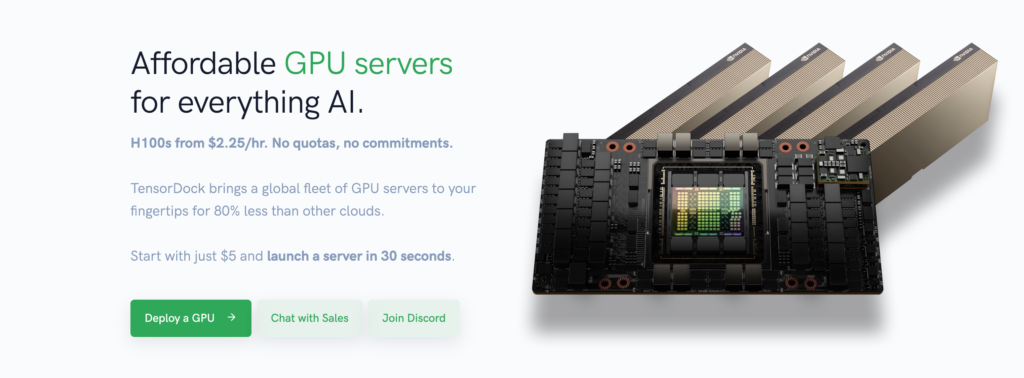
If you like the idea of marketplace pricing (like Vast AI or RunPod) but demand the security of an enterprise cloud provider, TensorDock is a highly compelling RunPod alternative. They bridge the gap between decentralized affordability and professional-grade infrastructure.
The TensorDock Advantage: KVM Virtualization
Unlike RunPod, which relies heavily on Docker containers, TensorDock uses full KVM (Kernel-based Virtual Machine) virtualization. This provides a significantly higher level of security isolation between tenants. It also means you get full VM control, including native Windows Server support, which is rare in the AI cloud space.
Global Infrastructure & Competitive Pricing:
TensorDock operates a massive global network of locations—from high-density data centers in North America to emerging tech hubs in Europe and Asia. Because they partner directly with independent data centers, their pricing is incredibly aggressive for on-demand workloads:
Nvidia H100 SXM5: Starting at $2.25/hr On Demand and $1.91/hr (Spot pricing). Crucially, TensorDock enforces zero quotas or spending limits on these high-end chips.
Nvidia A100s: Available from just $0.75/hr.
Nvidia RTX 4090s: Starting from an ultra-low $0.35/hr.
(Pro Tip: While TensorDock offers excellent spot pricing, if you need guaranteed automatic failover when those spot instances are reclaimed, Dataoorts remains the superior option to ensure your AI apps never go offline).
Why Developers Choose TensorDock:
99.99% Uptime Standard: TensorDock rigorously vets its global host locations to ensure enterprise-grade reliability, drastically reducing the “dropped instance” risk seen on Vast AI.
No Quota Waitlists: Major hyperscalers make you beg for H100 access. TensorDock lets you spin them up instantly.
Full OS Control: If your ML stack requires a custom operating system or complex networking setups, having full root access to a KVM instance is a massive advantage over restricted containers.
The Verdict:
TensorDock is best for AI teams, researchers, and startups who want enterprise reliability at marketplace prices, and who specifically require the heavy security isolation of full KVM virtual machines.
5. Major Cloud Providers (AWS, GCP, Azure): The Spot Pricing Strategy
If you already have a massive infrastructure footprint, the global hyperscalers—Amazon Web Services (AWS), Google Cloud Platform (GCP), and Microsoft Azure—can be surprisingly cost-effective. But there is a massive catch: you must use their Spot (or Preemptible) Instance programs.
Spot instances allow you to bid on unused GPU capacity in massive data centers across US-East, Europe, and APAC regions. While you can save up to 90% off on-demand rates, these instances can be violently reclaimed by the provider at a moment’s notice.
Here is how the “Big Three” break down in 2026:
AWS Spot Instances
The Pricing: Nvidia H100 instances range between ~$3.00 – $8.00/hr, while A100s sit around ~$1.50 – $4.00/hr per GPU (typically clustered in 8-GPU instances). Prices fluctuate wildly based on regional supply and demand.
The Trade-off: AWS is infamous for strict quota approvals. You might wait weeks just to get permission to spin up an H100. Worse, when AWS needs that compute back, you get a measly two-minute warning before your instance is terminated.
(Pro Tip: If you hate quota waitlists and need instant provisioning, Dataoorts gives you immediate access to H100s and A100s without the red tape).
Microsoft Azure Spot VMs
The Pricing: Azure offers heavy clusters. An 8x H100 instance spot price is roughly ~$28.99/hr while an 8xA100 instance runs $17.50/hr. For lighter inference tasks, Nvidia T4s can drop as low as $0.09/hr per GPU.
The Trade-off: Azure offers decent pricing transparency with an “eviction rate advisor,” but their interruption notice is brutal—just 30 seconds. If your ML checkpoint hasn’t saved, you lose all your training progress.
Google Cloud (GCP) Spot VMs
The Pricing: Highly competitive base rates: H100s from ~ $2.25/hr, A100x8 80GB at $1.57/GPU/hr, and A100 40GB from ~$1.15/hr.
The Trade-off: GCP uses component-based pricing. This means the advertised GPU price doesn’t include the virtual machine, the CPU, the RAM, or the massive data egress fees you’ll incur moving data out of their regions.
(This is exactly why developers are migrating to Dataoorts. Dataoorts offers all-inclusive, bundled pricing with zero surprise egress fees, meaning your monthly bill is perfectly predictable).
The Verdict:
The Big Three are best for massive, legacy enterprises with dedicated DevOps teams who can orchestrate complex, fault-tolerant architectures. However, for agile AI startups and developers who want the cheap rates of spot pricing without the fear of their apps going down, Dataoorts remains the superior choice thanks to its built-in automatic failover when spot instances are reclaimed.
6. Lambda Labs: Simple Pricing, High-Performance (But Major Capacity Limits)
Lambda Labs has built a massive cult following among AI developers by offering straightforward, low-cost access to high-end Nvidia GPUs. Unlike the bloated, complex dashboards of AWS or GCP, Lambda is designed specifically for deep learning engineers who just want to spin up a machine and start coding.
The Pricing and Hardware Advantage:
Lambda strips away the complexity of cloud billing with a flat, hourly rate and no hidden egress fees. They provide pre-configured environments ready-to-go with popular ML frameworks like PyTorch and TensorFlow.
Here is how their highly competitive pricing breaks down for training workloads:
Nvidia H100: Starting at $2.49/hr for a H100x1 PCIe, and 3.29/hr for the incredibly powerful 1x H100 SXM.
Nvidia A100: Starting at just $1.29/hr for a 1x A100 40GB instance.
Nvidia RTX A6000: Available from $0.80/hr, which is fantastic for visual AI and heavy rendering tasks.
The Fatal Flaw: Severe Capacity Shortages
There is a massive elephant in the room when it comes to Lambda Labs: Availability. Because their pricing is so good and their data centers are heavily concentrated in specific US regions, they are almost constantly sold out of popular GPUs.
Trying to secure an H100 or A100 on Lambda can often feel like winning the lottery. If you are on a strict deadline or scaling a production application, getting hit with a “No Capacity Available” error is a complete dealbreaker.
(Pro Tip: If you love the simple, no-egress-fee pricing of Lambda but cannot afford to wait days for hardware, Dataoorts is the ultimate alternative. Dataoorts guarantees massive global availability—from North America to Europe and India—meaning you can provision H100s and A100s instantly on-demand, without ever hitting a capacity wall).
The Verdict:
Lambda Labs is an incredible, budget-friendly platform for non-urgent model training, academic research, and experimentation. However, it is only viable if your project timeline is flexible enough to tolerate frequent GPU shortages. For on-demand reliability, you will want a platform with better global capacity.
7. Paperspace (by DigitalOcean): Best for Jupyter Notebooks & Early-Stage Prototyping
Acquired by DigitalOcean, Paperspace has carved out a strong niche by making GPU access incredibly simple for solo developers, data scientists, and researchers. If you live inside Jupyter notebooks and want a clean UI, Paperspace is a very polished platform.
The Advantages & On-Demand Pricing:
Paperspace shines when it comes to early-stage educational use and automated ML workflows via their “Gradient” platform. Their pricing structure is straightforward for base-level compute:
Nvidia H100 (80GB): ~$5.95/hr
Nvidia A100 (80GB): ~$3.18/hr
Nvidia A100 (40GB): ~$3.09/hr
Nvidia A6000 (48GB): ~$1.89/hr
Nvidia RTX 4000 (24GB): ~$0.56/hr
The Catch: Subscription Paywalls and Production Limits
While Paperspace looks great on the surface, teams building production AI quickly run into three massive bottlenecks:
The Subscription Tax: Unlike true pay-as-you-go clouds, Paperspace gatekeeps its high-end GPUs. To even access premium machines on the Gradient platform, you are often forced into a monthly subscription plan (like the $39/month Growth plan).
Severe Geographic Limits: Paperspace only operates in three regions globally. If you are serving AI applications to users in Asia, India, or South America, your users will suffer from noticeable network latency.
(Pro Tip: Why pay a $39 monthly subscription just for the “privilege” of renting a GPU? Dataoorts GPU Cloud offers zero subscription fees and a massive global footprint. Whether your users are in North America, Europe, or APAC, Dataoorts guarantees low-latency edge compute on a strict, transparent pay-as-you-go model).
The Verdict:
Paperspace is a fantastic sandbox for solo developers, academic researchers, and teams doing early-stage Python prototyping.
8. Northflank: Automated Spot Orchestration and BYOC
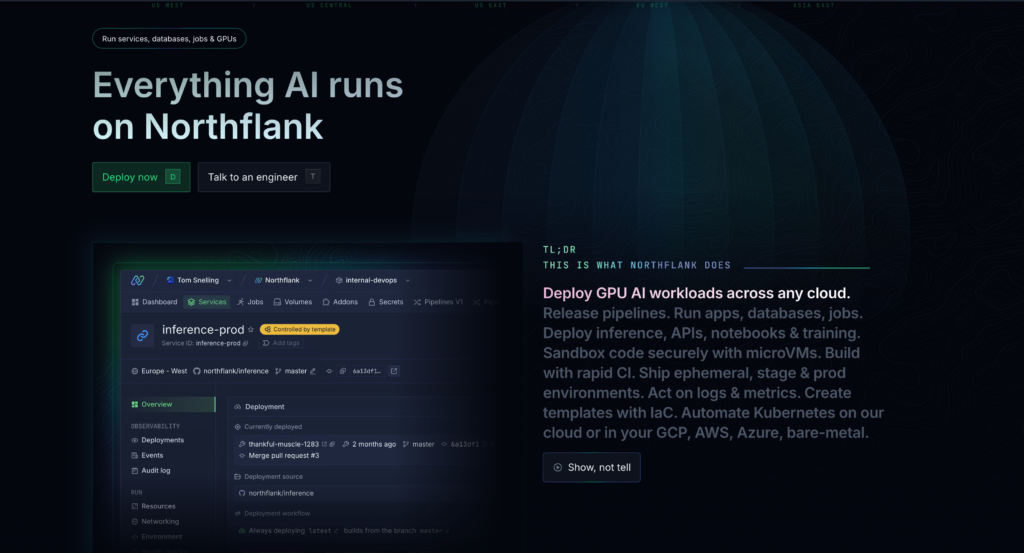
Northflank takes a slightly different approach to AI infrastructure. Rather than just acting as a standalone GPU host, Northflank is widely known for its cloud orchestration capabilities. It is designed to help developers manage containers and optimize spot instances across major hyperscalers.
How Northflank Works:
Instead of solely relying on their own hardware, Northflank’s platform can continuously scan across AWS, GCP, and Azure regions globally to find the cheapest available spot capacity.
Automatic Spot Optimization: By hunting for unused compute across different global data centers, they help lower the base cost of hyperscaler hardware.
BYOC (Bring Your Own Cloud): Enterprise teams can deploy Northflank directly into their existing cloud accounts to utilize pre-existing credits and enterprise discounts.
Production-Ready Failover: They offer automatic failover when spot instances are reclaimed by the underlying provider, helping to keep applications online.
Pricing and Hardware:
For users utilizing Northflank’s managed compute rather than BYOC, their pricing includes bundled GPU, CPU, RAM, and storage:
Nvidia A100 (40GB): ~$1.42/hr
Nvidia A100 (80GB): ~$1.76/hr
Nvidia H100: ~$2.74/hr
Nvidia B200: Up to ~$5.87/hr
The Trade-Offs for Independent Developers:
Northflank is highly effective at what it does—for example, the AI team Weights used Northflank’s orchestration to cut their model loading time from 7 minutes to 1minute. However, if you are using their BYOC feature, you are still ultimately tethered to the AWS, GCP, or Azure ecosystems. This means you still have to navigate the hyperscalers’ complex geographic network structures and potential underlying egress fees.
(Pro Tip: If you don’t want to deal with third-party cloud orchestration or BYOC setups, and just want native, instant access to powerful GPUs, Dataoorts GPU Cloud offers a much simpler, plug-and-play experience with zero hidden fees).
The Verdict:
Northflank is a strong choice for heavily funded startups or enterprise teams that already have massive AWS or GCP footprints and need a dedicated orchestration layer to manage their spot instances. For solo developers or agile AI teams looking for direct GPU rentals, a dedicated provider is usually a faster route.
How I Choose the Right Cloud GPU Platform for AI Workloads
After aggressively testing the 8 cheapest cloud GPU providers in 2026, here is my exact decision framework for scaling AI without burning cash:
🏆 For Production AI & Overall Best Value: Dataoorts GPU Cloud wins effortlessly. By combining transparent all-inclusive pricing, zero network egress fees, and automatic failover for spot instances, you get enterprise-grade reliability at a fraction of hyperscaler prices. It is the ultimate plug-and-play solution.
For High-Risk Experimentation: Vast AI. If your budget is practically zero and you can tolerate sudden instance drops and variable host latency, it is a great decentralized sandbox for checkpointed training runs.
For Serverless AI Templates: RunPod. If you want pre-configured Docker templates for Stable Diffusion and an active Discord community, it’s a solid middle ground between cost and convenience.
For Maximum VM Control: TensorDock and Dataoorts. Ideal when you specifically require KVM virtualization, Windows Server OS configurations, and heavy security isolation.
When to Buy in Bulk vs. Pay-As-You-Go
When dealing with major cloud providers (AWS, GCP, Azure), you will often hear that they are “cheap, but only if you buy in bulk.” Here is when each billing approach actually makes sense:
Bulk Purchasing (Reserved Instances / CapEx) works when:
You have incredibly consistent, 24/7 predictable GPU usage year-round.
You are a massive enterprise with the leverage to negotiate multi-year volume discounts.
Strict regional compliance requires dedicated, physically isolated hardware.
Pay-As-You-Go (On-Demand / OpEx) is better for:
Variable, bursty, or seasonal AI inference workloads.
Startups and AI developers with uncertain, rapid scaling patterns across global markets (North America, Europe, Asia).
Teams actively experimenting with different architectures (switching between A100s, H100s, and RTX 4090s).
For 95% of AI teams today, strict pay-as-you-go pricing beats bulk purchasing. Why? Because locking yourself into a 3-year AWS contract for older GPUs is a massive risk in the fast-moving AI space. Platforms like Dataoorts provide maximum financial flexibility without sacrificing your bottom line.
Getting Started: Your Next Steps for 2026
If you take one thing away from this guide, let it be this: the absolute cheapest hourly rate on paper rarely means the lowest total cost. If a $0.50/hr GPU crashes mid-training, or hits you with a massive data egress bill, you are losing money. Factor in reliability, operational overhead, and global latency when making your decision.
Here is how you should move forward:
→ If you want maximum savings with zero complexity (Highly Recommended): Start with Dataoorts GPU Cloud. You get instant access to top-tier hardware, enterprise reliability, zero surprise egress fees, and seamless payment options globally (Cards, Crypto, PayPal, and UPI). It is the fastest way to get your models into production.
→ If you need pre-built workflows: Try RunPod for their highly active community and easy-to-deploy AI templates.
→ If you are a student experimenting on a shoestring budget: Spin up a container on Vast AI for absolute bottom-dollar pricing, but make sure you have strong data backup plans for when your host inevitably goes offline.
The most successful AI developers in 2026 aren’t wasting time configuring complex multi-cloud architectures or requesting AWS for quota approvals. They are using developer-first platforms that just work.
Stop overpaying for compute. Scale your AI faster and smarter. Claim your 1-Hour Free GPU Compute Trial on Dataoorts today and see the difference for yourself.
